

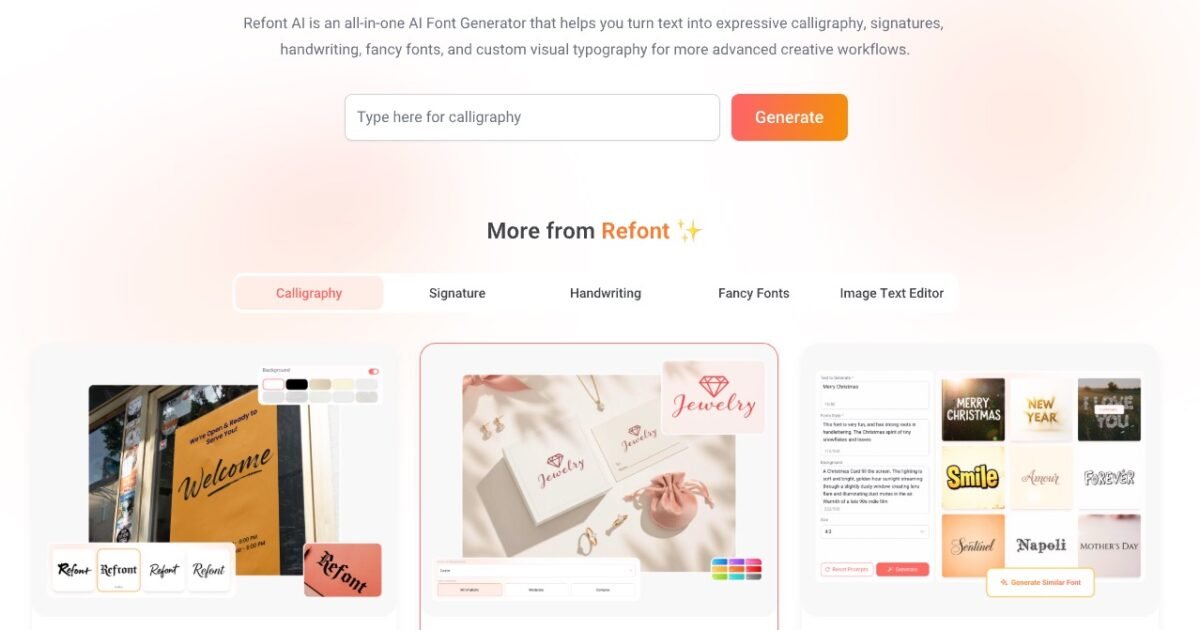
What is Refont AI?
Typography, often the realm of designers, can be a daunting task for non-designers. While you may have a vision for a logo or signature, you may lack the hand-steadiness for calligraphy or the patience for vector software. Enter Refont AI, a solution that bridges this gap. Refont AI takes your text input and renders it into specific artistic styles, mainly calligraphy, handwriting, and signatures, using generative AI. For example, you type “Indie Hacker,” pick a style (like “Brush” or “Signature”), and it spits out a high-resolution image of that text. The “Calligraphy” tools are solid for branding. If you are building a landing page and need a hero image that says “Launch Day” in a dramatic brush script, this tool does it faster than finding a stock font, typing it out in Photoshop, and exporting it. Note: Refont currently generates images (PNGs), not installable font files (. ttf or . otf). You cannot download a “Refont” typeface to install in Microsoft Word or use in your CSS. Who is this for? If you are an indie hacker needing a quick logo, a creator making YouTube thumbnails, or a business owner who needs a digital signature for non-legally binding documents, this is for you.
Key Features
- AI Signature Generator: Creates realistic-looking handwritten signatures ideal for email footers or digital branding.
- Calligraphy Styles: Offers various brush and ink styles, including support for Chinese characters (a rarity in simple generators).
- Text-to-Image Output: Generates high-resolution PNGs with transparent backgrounds, ready to drop into Canva or Photoshop.
- Multilingual Support: Handles English and Chinese inputs effectively, adapting the style to the script.
- No Design Skills Needed: Removes the need for vector manipulation; it’s strictly prompt-and-click.
Pricing
Refont AI offers a Free pricing model. Visit the official website for detailed pricing information.
